Barcode Scanner Online Free-Web Barcode Scanner
Sometimes you just need a quick way to decode a label, verify a product number, or check a shipment without installing anything extra. This barcode scanner online lets you read standards defined by GS1, including QR Code, Code 128, and EAN-13, directly in your browser. Whether you want to scan barcode Android screenshots or upload an image from your desktop, this barcode scanner online makes the process simple and accessible.
Steps to use the Barcode Scanner Online
Step 1: Open the Barcode Scanner Online Page
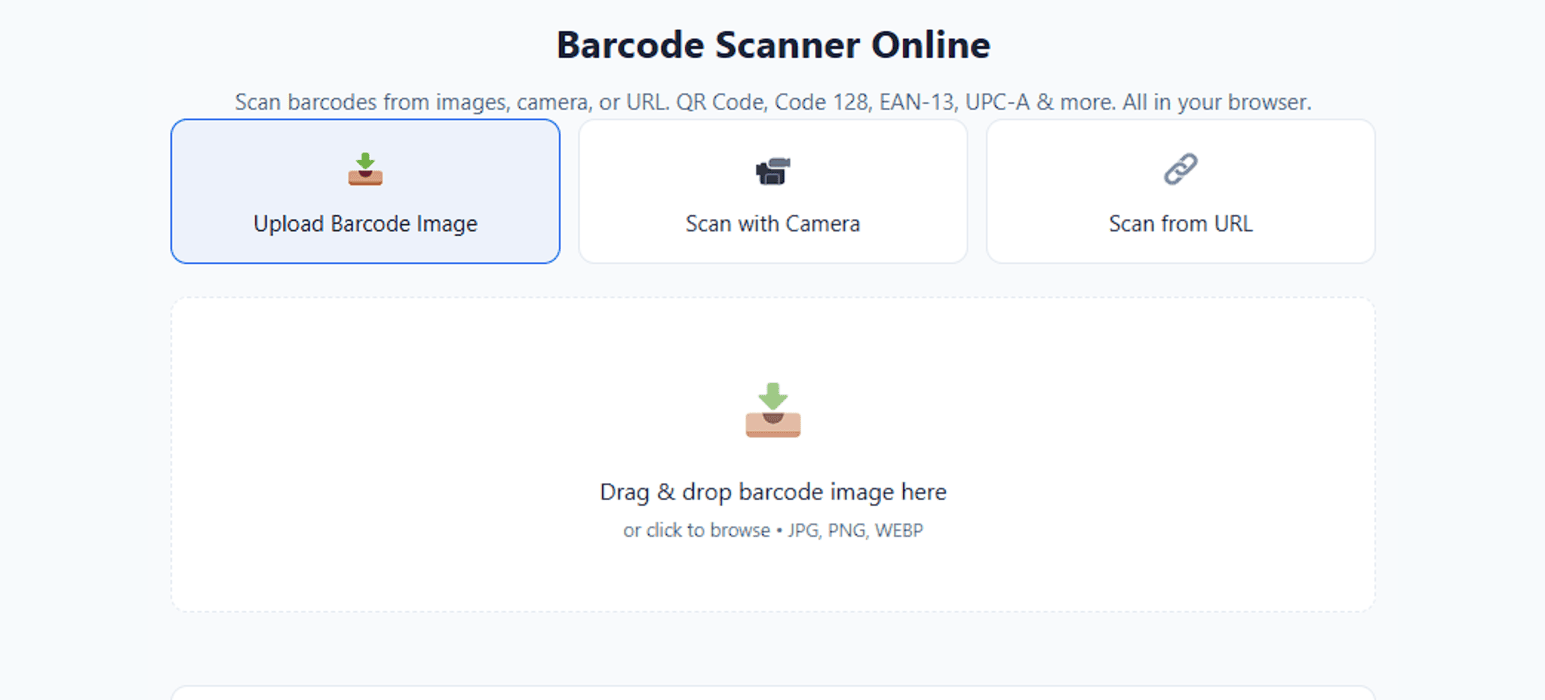
Start by visiting our barcode scanner online tool in your browser. It works instantly without installing any barcode scanner app. This barcode reader online runs directly on your device for fast performance.
Step 2: Upload, Paste URL, or Use Camera as per convenience
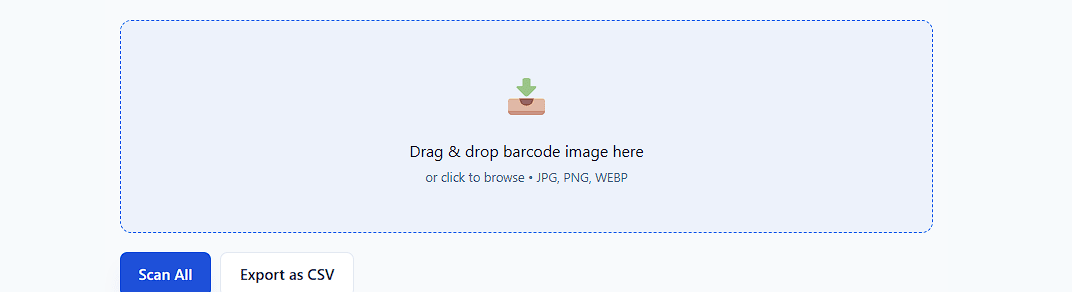
You can upload an image, paste an image URL, or enable your webcam to scan barcode Android or desktop. The barcode scanner online automatically detects supported barcode formats. No account, no sign-up, and no hidden steps are required.
Step 3: Scan and Read Instantly and Free
Once the image loads, the barcode reader online begins scanning immediately. The decoded result appears clearly on the screen. You can copy, verify, or open the embedded data safely.
What Is a Barcode Scanner Online?
A barcode scanner is a browser-based tool that reads codes from images or live cameras. Unlike mobile apps, it doesn’t require downloading from the Google Play Store or Apple App Store. It works instantly on desktop, tablet, and Android devices.
This online reader decodes information stored in 1D and 2D barcodes, including product numbers, tracking IDs, URLs, and other digital data. All scanning and processing are done securely within your browser.
Supported Barcode Formats
Our barcode scanner online supports the most widely used barcode standards worldwide.
1D Barcode Formats
The barcode reader online detects:
These formats are commonly used in retail and logistics. You can scan barcode Android images captured from packaging or invoices.
1D Barcode Formats
The barcode scanner online also supports
These formats store larger amounts of structured data. Many businesses use them for payments, tickets, and authentication.
Key Features of Our Barcode Scanner Online
Fast Processing
Instant barcode scanning with optimized performance.
Secure System
Your data stays on your device, fully private.
Mobile Friendly
Works smoothly on all devices and screen sizes.
Why Choose Our Online Barcode Scanner?
Eliminate Storage Usage
A barcode scanner online doesn’t require app installation, freeing storage space. No more constant app updates. Open the page and scan instantly without cluttering your device.
Privacy-Friendly Scanning
Many barcode scanner apps request unnecessary permissions. The online barcode reader works without granting access to personal data. Scan images and QR codes safely in-browser.
Fast and Efficient
Perform quick checks, test product codes, or verify shipments instantly. Works with screenshots and live camera scanning. No waiting, no installations, just fast scanning online.
Why Use a Barcode Reader Online Instead of an App?
A barcode scanner online eliminates storage usage and update issues. Many barcode scanner app options require permissions that users may not prefer. With a barcode reader online, you simply open the page and start scanning.
For quick checks, testing product codes, or verifying shipments, a barcode scanner online is more efficient. It also works instantly when you need to scan barcode Android from screenshots. No waiting, no installation.
Advanced Barcode Scanning Capabilities
Batch Barcode Scanning
Upload multiple images and process barcodes consecutively without restarting the tool. The barcode scanner online handles repeated scans efficiently. Ideal for bulk inventory verification and product validation.
Real-Time Camera Stream Scanning
Enable continuous live scanning using your webcam. The barcode reader online automatically detects codes when positioned in view. It delivers a smooth experience similar to a barcode scanner app.
Error Detection & Quality Feedback
The barcode scanner online analyzes image contrast and clarity before decoding. If a barcode is blurred or damaged, the barcode reader online provides guidance. This improves accuracy and reduces scanning errors.
Barcode Scanner Online vs Traditional Scanner Devices
| Feature | 🌐Barcode Scanner Online | 📟Traditional Scanner Devices |
|---|---|---|
| Hardware Required | Uses existing device camera | Requires dedicated handheld scanner |
| Cost | No extra cost | Hardware purchase required |
| Setup | No installation needed | Setup and configuration required |
| Best For | Occasional scanning & quick checks | High-volume retail operations |
| Mobile Support | Scan barcode Android phones & screenshots | Limited to connected hardware |
| Flexibility | Works instantly in browser | Fixed hardware usage |
Barcode Scanner FAQs
Scan barcodes using your camera or image without installing any app.
Open the tool, allow camera access, and point at the barcode.
Yes, upload an image or screenshot and it will be decoded.
Yes, completely free and online.
No, everything works in your browser.
Supports UPC, EAN, Code 128 and more.
Try better lighting or a clearer image.